

Author: Abhishek Nag

  • Seamlessly Connect Your App: The Importance of Mobile App Integration 

    Seamlessly Connect Your App: The Importance of Mobile App Integration 

    Customer is a driving force behind any successful business, and providing them seamless experience is a top priority of any business. Mobile apps become an integral part of this experience, allowing customers to access the services from anywhere at any time.  Now, challenging situations arise for businesses. You need to ensure that your app stands out from the competition. One of the ways to stand out from the competition is through app integration. App integration is key to creating a flawless user experience.  App integration allows different software applications to work together seamlessly, sharing data and functionality. Integrating two apps gives customers multiple choices regarding how they use the app. This can ultimately increase user engagement, the number of downloads, and retention rates. 

    In this blog, we will discuss the importance of app integration and the benefits it can bring to your business. 

    What is Mobile App Integration? 

    Mobile app integration is connecting your app with other software applications to provide users with a personalized and customized experience. Mobile app integration allows you to expand the features of your application and connect different services into a single interface. This process simply provides your customer with an enjoyable experience and allows them the data they require in real-time without engaging you in a lot of manual tasks or navigating between multiple apps.  

    Benefits of Mobile App Integration 

    Integrating your app with other software applications can open up lots of opportunities for your business. Here are some benefits of mobile app integration.  

    Increased user experience:  

    If you want to win your customer loyalty and want to provide a seamless experience to your customer then one of the best ways to do this is mobile app integration, it allows you to provide a personalized experience to your customer by integrating with other software applications. For example: integrating your app with the CRM system can help you to provide personalized recommendations and offers based on customer preferences and purchase history. 

    Better data insights: 

    Integrating your app with other applications will provide you with better insights into customer behaviour and preferences. This data allows you to make a more informed decision about awareness campaigns and improves the overall strategy of your business. 

    Consistent brand experience: 

    App integration allows you to see the big picture of your business. This means that customers will have a consistent brand experience across all their interactions with you from website visits to mobile purchases and this increases the value of customer loyalty. 

    Advanced functionality: 

    Integrating your app helps you increase the app’s functionality and provide additional value to your user. For example: if your app is integrated with the payment gateway, your customer can easily without any hassle make a payment and this will provide a more seamless experience to your customer they can buy things right away from your app. 

    Techniques to integrate apps seamlessly: 

    Do you want your app to seamlessly connect with other applications? Then you need to know the techniques for integrating apps. These are some of the best methods: 

    APIs (Application Programming Integration): 

    This is a set of procedures, tools, and protocols that allow interaction and communication between two different programming applications. APIs run in the background which helps your app communicate data seamlessly between two applications. This makes it easy for developers to add extra features without requiring them to invest a lot of time in creating them from the start. App developers can ensure that their apps can interface with other apps with the same APIs. 

    Webhooks: 

    Webhooks provide an easy way to communicate between two applications. Webhooks provide notifications about event that occurs in one app to the other. The good thing about webhooks is that they can be activated automatically without any human interaction, and this makes them incredibly efficient and reliable.  

    Cloud-based services: 

    Cloud-based services like amazon web services (AWS) and google cloud platform (GCP) make it easier for the developer to quickly connect two apps together without any complicated coding. You have to just sign up for your account with one of these services, and specify what type of data needs to be shared between the two apps, and they will take care of the rest of the things. 

    These are some of the techniques you can use to integrate your app seamlessly with other applications. 

    The Future of Mobile Apps Integration: 

    Mobile app integration presents a powerful opportunity to offer users a more seamless experience with the apps they use. It is more about getting data from one app to another. It also helps in making the user journey more efficient, user-friendly, and versatile. With the help of this, you can bring all the features of your apps together in one place. This means no more complex data entries for users and no more login into different applications. Additionally, you need to ensure that your app is not only connected but also optimized for the best possible user experience. Mobile app integration is a powerful tool for any business to create seamless experiences for its customers. This empowers businesses to use the latest technology in a new and innovative way. 

    Conclusion: 

    When it comes to mobile app integration you need to be very strategic. The right integration can give your app a boost of functionality and helps you to stand out from the competition.  

    So, if you are a tech entrepreneur looking to create the next generation mobile app. Then EOV is here for you, EOV is a leading provider of integration services that help businesses seamlessly integrate their mobile app with other software applications. EOV is a trusted partner for businesses looking to streamline their operations and achieve competitive advantage. 

  • Real-Time Web Applications with Express.js and Socket.IO

    Real-Time Web Applications with Express.js and Socket.IO

    In the world of web applications, real-time updates and communication have become essential features. Traditional request-response architectures are no longer sufficient to meet the demands of modern applications. To overcome these limitations, we attempted to leverage the power of Express.js and Socket.IO to build real-time web applications that enable instant communication between clients and servers. In this blog post, we have shown how we created a real-time chat application using Express.js and Socket.IO in one of our projects.

    Setting Up the Project

    To get started, make sure you have Node.js installed on your machine. Then, create a new directory for your project and navigate into it using the command line. Run the following commands to set up the project:

    Creating the Express.js Server: 

    Creating the Client-side HTML: 

    Create an HTML file named index.html and add the following code: 

    Create a file named server.js and import the required modules: 

    <!DOCTYPE html> 

    <html> 

    <head> 

      <title>Real-Time Chat</title> 

      <script src=”https://cdnjs.cloudflare.com/ajax/libs/socket.io/4.3.1/socket.io.js”></script> 

    </head> 

    <body> 

      <input id=”messageInput” type=”text” placeholder=”Enter your message”> 

      <button id=”sendButton”>Send</button> 

      <ul id=”messageList”></ul> 

      <script> 

        const socket = io(); 

        const messageInput = document.getElementById(‘messageInput’); 

        const sendButton = document.getElementById(‘sendButton’); 

        const messageList = document.getElementById(‘messageList’); 

        sendButton.addEventListener(‘click’, () => { 

          const message = messageInput.value; 

          socket.emit(‘chatMessage’, message); 

          messageInput.value = ”; 

        }); 

        socket.on(‘chatMessage’, (message) => { 

          const li = document.createElement(‘li’); 

          li.innerText = message; 

          messageList.appendChild(li); 

        }); 

      </script> 

    </body> 

    </html> 

    Running the Application: 

    Start the server by running the following command: 

    Open your web browser and navigate to http://localhost:3000. You should see the chat interface. Open multiple browser tabs or windows and start chatting in real time! 

    Conclusion: 

    In this blog post, we have shown how to build a real-time web application using Express.js and Socket.IO. We set up an Express.js server and established a WebSocket connection using Socket.IO. With this setup, we created a simple chat application that allows users to send and receive messages in real time. Socket.IO’s event-based communication model and Express.js’ simplicity make it a powerful combination for building real-time web applications. 

    Socket.IO offers many more features and options for building sophisticated real-time applications.  If you are looking for a partner for your app development needs using Express.js and Socket.io, please feel free to reach out our team today!

  • How the performance of a Web Application be different if we use ASP.NET vs Nodejs?

    How the performance of a Web Application be different if we use ASP.NET vs Nodejs?

    When it comes to comparing the performance of web applications built with ASP.NET and Node.js, several factors come into play. Let’s dlve into a technical evaluation of these frameworks to understand how their performance can differ. 

    Execution Model and Scalability: 

    ASP.NET, built on the Common Language Runtime (CLR), follows a compiled execution model. The code is compiled into intermediate language (IL) and then further into native machine code, resulting in faster execution. ASP.NET traditionally relies on a thread-based concurrency model, where each request is processed by a separate thread. While this provides stability, it may not be as efficient in handling a large number of concurrent connections compared to Node.js. 

    Node.js, on the other hand, utilizes an event-driven, non-blocking I/O model. It operates on a single-threaded event loop, making it highly scalable and capable of handling thousands of concurrent connections with low overhead. Its asynchronous nature allows it to process multiple requests simultaneously, providing excellent performance for real-time applications and high traffic scenarios. 

    Request-Response Cycle: 

    In ASP.NET, each request is handled by the web server, which spawns a new thread to process it. This thread remains occupied until the request is completed, resulting in higher memory consumption for each request. In contrast, Node.js uses a non-blocking I/O model, where requests are handled asynchronously. This allows Node.js to efficiently handle multiple requests without blocking the execution, resulting in lower memory consumption and improved performance. 

    Performance Optimization Techniques:

    Caching: ASP.NET provides built-in features for caching, allowing frequently accessed data or rendered pages to be stored in memory. This reduces the load on the server and improves response times. Node.js, being a lightweight framework, doesn’t have built-in caching mechanisms, but developers can implement custom caching strategies using external libraries or in-memory databases like Redis. 

    Minification and Bundling: ASP.NET has built-in tools like the ASP.NET Web Optimization Framework that enables minification and bundling of JavaScript and CSS files. This reduces the number of requests and the overall size of resources, resulting in faster page load times. Similarly, Node.js developers can utilize minification and bundling tools like UglifyJS and webpack to optimize their application’s performance. 

    Database Performance: Both frameworks offer options for database access and integration. In ASP.NET, Entity Framework provides an object-relational mapping (ORM) solution, allowing efficient communication with databases. Node.js, on the other hand, offers various database drivers and ORMs like Sequelize and TypeORM. Performance optimization in this area largely depends on the specific database implementation, query optimization, and indexing techniques. 

    Ecosystem and Third-Party Libraries:

    ASP.NET benefits from the extensive ecosystem supported by Microsoft. It provides a wide range of libraries, frameworks, and tools that are thoroughly tested and optimized for performance. Node.js, on the other hand, leverages the vast JavaScript ecosystem. It has a vast collection of third-party libraries available through npm (Node Package Manager), allowing developers to utilize existing solutions to enhance performance. 

    Development and Deployment:

    ASP.NET requires the .NET framework and the Internet Information Services (IIS) web server, which can add complexity to the deployment process. On the other hand, Node.js applications can be easily deployed on various platforms, including cloud services like AWS and Azure, using lightweight and efficient web servers like Express.js or frameworks like Nest.js. 

    Conclusion

    In conclusion, the performance of web applications can differ based on the framework chosen. ASP.NET’s compiled execution model, caching mechanisms, and mature ecosystem make it a reliable choice for performance-critical enterprise applications. Node.js, with its event-driven, non-blocking I/O model, excels in scenarios requiring high scalability, real-time communication, and handling a large number of concurrent connections. 

    Ultimately, the choice between ASP.NET and Node.js should consider the specific requirements of the application, the available development resources, and the performance characteristics that align with the project goals. Both frameworks have their strengths, and with proper optimization techniques and architectural considerations, they can deliver excellent performance for web applications. 

  • Mastering Node.js: The Complete Guide for Developers

    Mastering Node.js: The Complete Guide for Developers

    “Node.js is like a breath of fresh air in the world of web development, allowing developers to build fast and scalable applications with ease.” Node.js is a JavaScript runtime that allows you to build fast, scalable network applications. Some of the biggest companies in the world use Nodes, like Netflix, Uber, and PayPal. Node’s event-driven, non-blocking I/O model makes it lightweight and efficient. We will start with an example suppose you are a developer and you have been asked to develop a chat application capable of handling thousands of concurrent users, then Node.js is the perfect tool for that job. With its event-driven, non-blocking I/O model, Node.js makes it easy to build highly scalable applications that can handle a large number of connections.  

    But where do you start? This comprehensive guide will serve as your roadmap, providing developers with all the knowledge they need to get started with Node.js development. 

    Installing Node.js 

    To get started with Node.js, the first thing developers need to do is install it. The easiest way is to go to the official Node.js website and download the installer for your system. There are also different methods to install Node.js like for Windows and Mac, developers can download an executable file that will guide them through the installation process. If developers are on Linux, they can install Node.js through their package manager (like apt or yum), or download the source code and compile it. 

    Once the installation completes, open your terminal and run the command node -v to verify Node is installed. Developers should see the version number printed out, like v12.14.1. This confirms that Node.js is successfully installed on the developer system. Now they are ready to start building Node.js applications and exploring its powerful features. Developers are now prepared to begin. Developers must write all of their Node apps in.js files since Node.js operates by running JavaScript code outside of a browser. They can use the node command, such as node my_app.js, to run files directly. Node comes bundled with a (Node package manager) called npm, which makes it easy to install third-party packages/libraries to use in apps. Developers access npm through the npm command. Some of the most popular npm packages for Node are Express (for web servers), to install Express developers can run this command npm install express. To install Socket.IO (for real-time apps), developers can run the following commands npm install socket.io and MongoDB (for databases), developers can run the following commands npm install MongoDB. 

    Developers’ first Node.js Application 

    To build the first Node.js app, developers need to install Node.js on their machines. Then, open the terminal and run: 

    • Install Node.js with the official Node.js website (https://nodejs.org). 
    • Once installed, open the terminal or command prompt and run the following command to check your Node.js version: node -v 
    • Create and Run the Application 
    1. Create a file named app.js in the developer’s desired directory. 
    1. Open app.js in a code editor and add the following code: 

    console.log (‘Hello World!’); 

    • Save the app.js file and go back to your terminal or command prompt. 
    • Navigate to the directory where the developer created app.js using the cd command. 
    • Run the following command to execute your Node.js application: node app.js 

    Developers should see “Hello World!” printed in the console output, indicating that your application has successfully run. 

    Node.js Core Modules: Utilizing the Built-in Functionality 

    Node.js comes bundled with a variety of core modules that provide useful functionality. These built-in modules allow developers to do things like. 

    File System Access: 

    fs (File System): 

    The “fs” module allows you to work with the file system, enabling file operations such as reading, writing, deleting, and modifying files. Developers can use this module to create, read, and write files, as well as perform operations on directories. For example, fs.readFile() – Reads data from a file. 

    Reading a file using the fs module: 

    JavaScript 

    Copy code 

    const fs = require(‘fs’); 

    fs.readFile(‘file.txt’, ‘utf8’, (err, data) => { 

      if (err) { 

        console.error(err); 

        return; 

      console.log(data); }); 

    HTTP Server 

    The HTTP module allows you to create HTTP servers and make requests. Developers can use it to serve static files, build REST APIs, and more. For example: 

    Const http = require(‘http’); 

    const server = http.createServer((req, res) => { 

      res.statusCode = 200; 

      res.setHeader(‘Content-Type’, ‘text/plain’); 

      res.end(‘Hello, World!’); 

    }); 

    server.listen(3000, () => { 

    console.log(‘Server running on port 3000’); 

    }); 

    The HTTP module, combined with the fs module, allows you to serve static files like HTML, CSS, and JavaScript to build full web applications. 

    Third-Party Modules: The NPM Registry 

    The Node Package Manager (NPM) registry hosts over 1 million open-source Node.js packages developers can download and use in their projects. 

    Some of the benefits of using NPM packages include: 

    • They are open-source, so developers are free to use and modify. 
    • Actively maintained and updated by the community. 
    • Solve common problems so the developers can avoid reinventing the wheel. 
    • Easy to install and integrate with developers’ apps. 

    Node.js Frameworks and Tools 

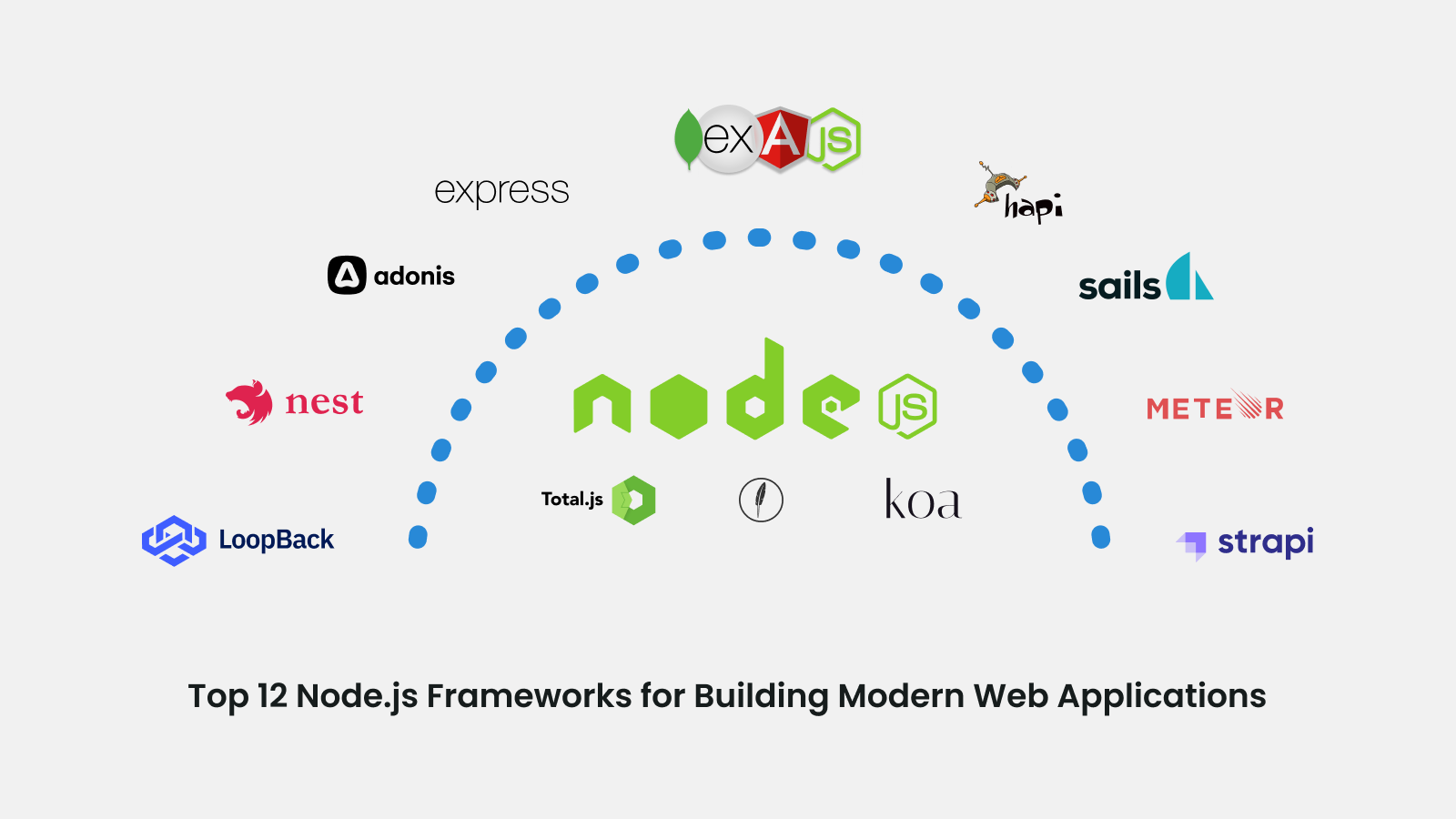
    Node.js has a strong ecosystem of tools and frameworks which help to accelerate the development process. The main players are listed below: 

    Express: Express is the most popular web framework for Node.js. It facilitates the development of web apps and APIs. Express also offers middleware, routing, and other practical features to help you get up and running quickly. 

    Koa: It is another web framework that uses newer JavaScript capabilities like async/awaits and is lighter than Express. 

    Socket.IO: It provides real-time communication between developers’ Node.js servers and clients. It’s great for building chat apps, online games, and other interactive experiences. 

    MongoDB: IT is a popular NoSQL database that pairs well with Node.js web applications. The Mongoose ODM (Object-Document Mapper) makes it easy to model your data and query MongoDB from Node.js. 

    Yarn and npm are package managers that make it easy to add third-party libraries and dependencies to Node.js projects. 

    These are some of the tools or frameworks for the development of Node.js. Node.js is a vast ecosystem and continues to grow rapidly. 

    Conclusion: 

    So, Node.js is an incredibly powerful tool for building fast and scalable network applications. With its event-driven, non-blocking I/O model, Node.js is efficient and lightweight. Throughout this comprehensive guide, we covered the basics of getting started with Node.js development, including setting up the development environment, frameworks, and tools. 

    So, if you are looking to build Node.js applications and need a reliable development team, consider working with EOV. EOV is known for providing top Node.js developers who are experienced in building scalable and high-performance applications. 

  • Choosing the Right Node.js Development Company: Factors to Consider

    Choosing the Right Node.js Development Company: Factors to Consider

    “When it comes to Node.js development, expertise is the compass that guides your project towards greatness.” Suppose you have got an amazing project of developing a web or mobile app and you want to build with the help of Node.js. But you don’t have an in-house development team and need to outsource the company. With so many options out there, how do you choose the company? And what factors to consider?  

    So, in this blog, we will walk you through the key factors to consider when evaluating Node.js development companies so you can find the perfect partner for your project. 

    You need a team that will help you to build high-quality apps, meet deadlines, have technical expertise, communicate well, and have all the latest tools and technology for the development process. Here are the key factors to consider: 

    Technical Expertise and Experience 

    When you choose the Node.js development company, their expertise and experience should be at the top priority of your list to consider. Choose a company that has built Node.js applications with at least 2 to 3 years of experience. They also need to have a track record of completing successful Node.js projects. Look through their case studies and portfolio, to view the kind of apps or web they previously build and how they are dealing with the challenges of developing the app or web with the help of Node.js. You should also look for experience with other tools and frameworks of Node.js like Express, MongoDB, and React. A trustworthy company will recruit a group of Node.js engineers and developers. You should always inquire about their qualifications and experience. Do they follow the most recent Node.js developments and releases? Do they participate in the Node.js community? Consider each and every small factor before choosing the right Node.js development company. The right development partner should be able to completely address any of your technical inquiries and explain Node.js topics in detail. They should share your goals and expectations for the final output. You have identified the ideal team for the project if their expertise and excitement for Node.js align with your own. 

    Communication and Collaboration 

    Another important factor to consider choosing a Node.js development company that works closely with your company and can help you to achieve desired goals and objectives of your project. So, for this communication and collaboration is very important. Choose a business that places a high value on communication. Do they have processes in place for keeping clients in the loop, like weekly status updates, daily stand-ups, and milestone reviews? Do they immediately help you to solve the queries or answer them? The right company will value your involvement and treat you like a partner, not just a customer. They want to understand your business inside and out so they can build solutions that truly meet your needs. Additionally, you also need to be open and honest with the partnered company about your needs and goals. You will establish a reliable working relationship with your Node.js development company through open communication and collaboration. And that is ultimately the secret to a project’s success. 

    Pricing and Contracts 

    The cost and terms of the contracts are other factors that you should be taken into consideration when selecting a Node.js development company. You want a business that will design a contract that safeguards both you and your project and is open and honest about its pricing. The development company should be able to provide you with a detailed breakdown of costs, including development hours, rates, and any additional expenses. This transparency will help you understand how the pricing is structured and make an informed decision. Additionally, the contract should cover all the important aspects such as project deliverables, timelines, payment terms, intellectual property rights, confidentiality clauses, and dispute resolution mechanisms. Seek legal advice if needed to ensure the contract protects your interests. 

    Portfolio of Past Work 

    Any reputable Node.js development company will have a portfolio of past work they can share with you. Reviewing examples of their previous Node.js projects can give you a good understanding of their skills, experience, and expertise. You should also look for projects similar to what you need to be built. Check if the sites and apps load quickly and are optimized for performance. Review the types of Node.js projects they have delivered, like web apps, mobile apps, chatbots, or enterprise software. The more years of their experience, the higher is chances that your project will be successful. See how long they have been working with Node.js. Ideally, the company has been developing Node.js applications for several years and has a proven track record of success. Take your time analyzing their portfolio. 

    Conclusion: 

    So, there you have it, the key things to keep in mind when choosing a Node.js development agency. Finding the right partner is crucial to building a successful web app. Do your research, check their experience and expertise, see examples of their work, and make sure you connect with the team. 

    “Don’t just settle for any Node.js development company; aim for the one that can turn your ideas into a scalable and high-performance reality. So, if you are looking for the perfect partner, then EOV is here for you. EOV stands out to be the best platform for outsourcing your Node.js development needs. With a team of skilled developers, a client-centric approach, and a focus on scalability and security. By choosing EOV, you can confidently entrust your Node.js development project to the hands of experts who will deliver outstanding results. 

  • Full Stack Web Development: Why, When, and How to Hire the Right Talent 

    Full Stack Web Development: Why, When, and How to Hire the Right Talent 

    “Being a full stack web developer is like being an architect. You have the power to design, build, and shape the digital world.” In today’s changing technological world, full-stack developers’ demand was skyrocketed. They are versatile tech experts who have the combination of skills and expertise of front-end developers and back-end developers. Full-stack developers become the driving force behind innovative and successful web design. They are powerful tools like Swiss Army knives of the web development industry. They have an in-depth understanding of front-end technologies like HTML, CSS, and JavaScript, allowing them to design user interfaces that are both aesthetically pleasing and simple to use. They also have a strong understanding of back-end technologies like databases, server-side scripting, and APIs, which gives them the ability to manage the logic, data storage, and integration components of web development. 

    In this blog, we will get to know what are full-stack developers and we will also discuss some key strategies to consider when building your team, including why, when, and how to hire the right talent. 

    What is a full-stack developer? 

    A full-stack developer is a versatile individual, who is professional in developing web applications. They are proficient in a wide range of technologies and frameworks, allowing them to work in both frameworks as a front-end developer and as a back-end developer. The front end of web development focuses on user interface and user experience, it includes technology such as HTML, CSS, and JavaScript. These are used to create a smooth and flexible interface and also help to provide the best user experience to the user. While back-end developers mean working on the back of the web applications such as data storage, and server-side scripting. It uses technologies such as Python, Ruby, and frameworks such as Node.js. they also deal with databases and APIs. They have a good understanding of software architecture and the deployment process. They have a good understanding of communication and have a cat eye on every detail of your web applications. 

    Why Should You Hire a Full Stack Developer? 

    There are many reasons why you might consider hiring a full-stack developer for your web application project. 

    1. Increased Efficiency: They understand both front-end and back-end development, they also can take more responsibility as expert developers and perform more tasks in less time. This makes them an efficient addition to any development team. 

    2. Better Communication: Full-stack developers are able to effectively communicate with both front-end and back-end developers, which can help improve communication overall on the development team.  

    3. Improved Quality: By taking on more responsibility for the development process, full-stack developers can help ensure the quality of the final product and assured you provide the best solution for your projects. 

    Additionally, a full-stack developers’ team can provide more valuable insights and feedback during the planning and development stages of your project, while this can also help you to improve the overall quality of your final product. Having a dedicated full-stack developers’ team can also help save you time and money by allowing you to focus on other aspects of your business while they handle the technical details. 

    Key Strategies for Hiring a Full Stack Developer Team 

    When hiring a full-stack developer team it is important to consider a comprehensive strategy to ensure you find the right candidate who has all the qualities and skills.  

    1. Clearly define the job goals: Before you start your search, make sure you have a clear understanding of the job requirements and job goals and objectives. This will help you to recruit the right candidates and ensure that you are hiring a candidate who helps you to meet your project goals and objectives. 
    1. Look for experience and expertise: When hiring a full-stack developer team, look for candidates who have experience and expertise in a wide range of technologies and programming languages. This will ensure that your team has the skills needed to handle any project that comes their way. 
    1. Assess communication skills: Communication is one of the very important factors to assess in the candidate because it is very important to have good communication skills when you are working in a team. Look for candidates who are clear and concise in their communication and who are able to work co-ordinately with others. 
    1. Consider cultural fit: When building a team, it is important to consider cultural fit. Look for candidates who share your company’s values and who will be a good fit with the rest of your team. 
    1. Conduct thorough interviews: Finally, make sure to conduct thorough interviews to get a sense of each candidate’s skills, experience, and personality. Ask questions that will help you understand how they work, how they approach problem-solving, and how they handle challenging situations. 

    Conclusion: 

    Hiring full-stack developers is a crucial task, so take time to evaluate your business goals and also evaluate candidates thoroughly. So, if you are looking to hire a full-stack developer company? EOV should be your top choice. With their exceptional expertise, comprehensive skill set, and proven track record, EOV stands out as a leading provider in the field.