



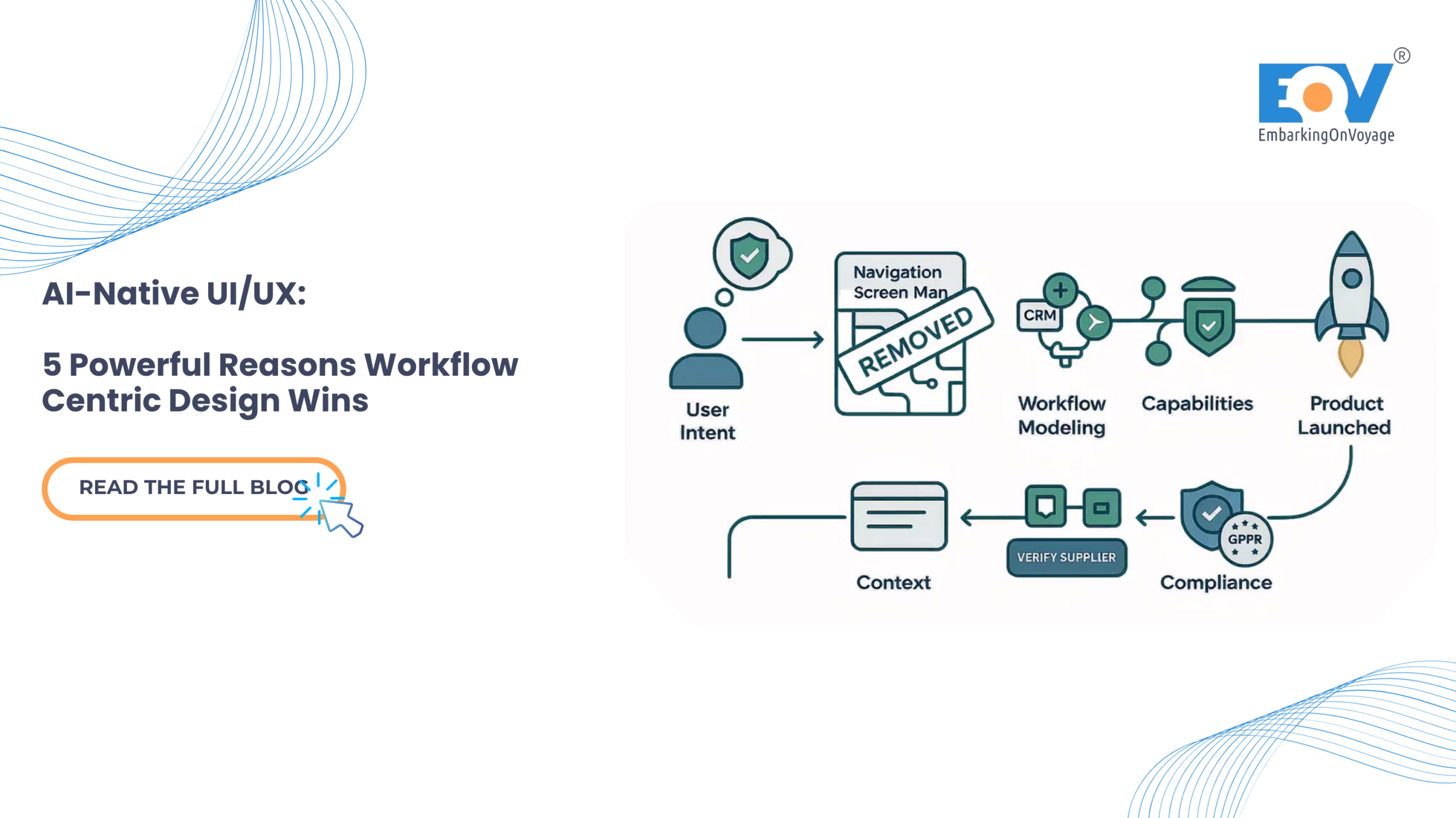
Most enterprise software is organized around screens and modules. An user navigates to a specific place to complete a specific task. However, in the era of AI-native UI/UX, this approach creates a technical bottleneck. Intelligent platforms naturally collapse navigation, yet they often inherit legacy interfaces built around screens the user no longer needs to visit.
This article explores workflow-centric design where the interface is built around the user’s ultimate goal, and Agentic AI handles the backend traversal. The business impact? Shorter task completion times, minimized context switching, and significantly lower training overhead for global B2B teams.
1. The Context: Eliminating the Navigation Tax
Screen-centric design assumes the human user is the engine moving work between systems opening the CRM, switching to the ERP, checking a reporting tool, and manually carrying context across each step.
AI-native platforms eliminate this need. An Agentic AI can query the ERP, cross-reference global CRM data, and draft a final output without the user opening any of those applications. But if the UI is still designed as a set of siloed modules, the platform actively fights its own capabilities:
- Navigation Overhead: Users still hunt through complex menus for capabilities the AI could have surfaced in context.
- Context Loss: Moving between screens discards the working state the AI just assembled.
- Mental Model Mismatch: Users think in tasks (e.g., “launch the outbound sales sequence”); traditional UI thinks in screens.
Industry analysis is clear: the defining question of modern enterprise software is no longer how humans navigate software, but how work moves seamlessly across the global organization.
2. Modeling the Workflow, Not the Screen Map
Effective AI-native UI/UX defines the interface by the user’s goal and the necessary steps to achieve it, rather than relying on a traditional sitemap of modules.
Consider the process of integrating a new travel technology API or onboarding a global supplier. The end goal is a verified, active integration ready for use. A workflow-centric platform presents this as a single, connected thread. The AI pre-fills technical details from uploaded documentation, runs the compliance check autonomously, and suggests operational parameters based on comparable data. The user moves through one coherent task instead of visiting four separate modules and manually stitching the work together themselves.
3. Carrying Context Forward Automatically
The defining property of workflow-centric design in AI-native UI/UX is that state persists across steps. Data captured in step one is available without re-entry in the final step. The AI maintains the working context; the user simply maintains the intent.
This eliminates the hidden tax of screen-centric software: the constant re-finding, re-typing, and re-orienting required every time a user crosses a module boundary. When context travels with the task, that tax disappears entirely.
4. Surfacing Capability in Context
Instead of a massive global navigation menu listing every platform capability, the interface should only offer actions relevant to the current step. If a capability isn’t needed right now, it shouldn’t be on the screen at all. This drastically reduces cognitive load, accelerates completion times, and makes the platform exceptionally easy to learn—there are no complex menus to memorize, only the next logical action.
Module Navigation vs. Workflow Threads This is a core UI/UX trade-off that requires deliberate decision-making. Module navigation maps neatly onto back-end system organization; it is easier to build but forces the integration burden onto the user. Workflow threads organize the interface around goals and let the AI traverse the systems. They demand more sophisticated UI/UX design effort upfront, but perfectly match how users actually think and work on a daily basis.
5. Global Security & Compliance Considerations
Workflow-centric design fundamentally changes how data and permissions flow across a system. Maintaining robust, global compliance requires modern UI approaches:
- Step-Scoped Permissions: Grant access per workflow step, not per module. A user holds only the rights required for the exact step they are currently executing.
- Data Lineage Across Steps: Record precisely how context is assembled and transformed as it moves through the UI to ensure full auditability.
- Embedded Gates: Place compliance checkpoints directly inside the workflow interface itself. This ensures oversight happens exactly where the work occurs, without breaking the user experience.
- Zero-Trust Context Handling: Validate carried-forward context at each individual step, rather than blindly trusting the state assembled earlier in the process.
- Embedded Gates: Place compliance checkpoints directly inside the workflow interface itself. This ensures oversight and adherence to frameworks like the EU AI Act happens exactly where the work occurs, without breaking the user experience.
- Data Minimization: Carry only the specific context a step needs, strictly aligning with GDPR data protection principles.
The Bottom Line
- Screen-centric design fights AI-native UI/UX. It forces users to navigate and carry context that the AI has already removed the need for.
- Organize around goals, not modules. Model the workflow, carry context forward automatically, and surface capabilities only when needed.
- Embed compliance natively. Step-scoped permissions keep workflow-centric platforms highly auditable and perfectly suited for global enterprise operations.
Build the Future of Enterprise AI EmbarkingOnVoyage (EOV) drives AI-native UI/UX, designing workflow-centric interfaces for complex, global enterprise platforms. By restructuring software around user goals, we empower B2B teams to complete work in fewer steps, with less navigation, and significantly lower training overhead.
Explore EOV’s AI-First Digital Experiences
Lates Blog Highlight : https://embarkingonvoyage.com/blog/ai-native-digital-product-engineering/
Leave a Reply